Project definition
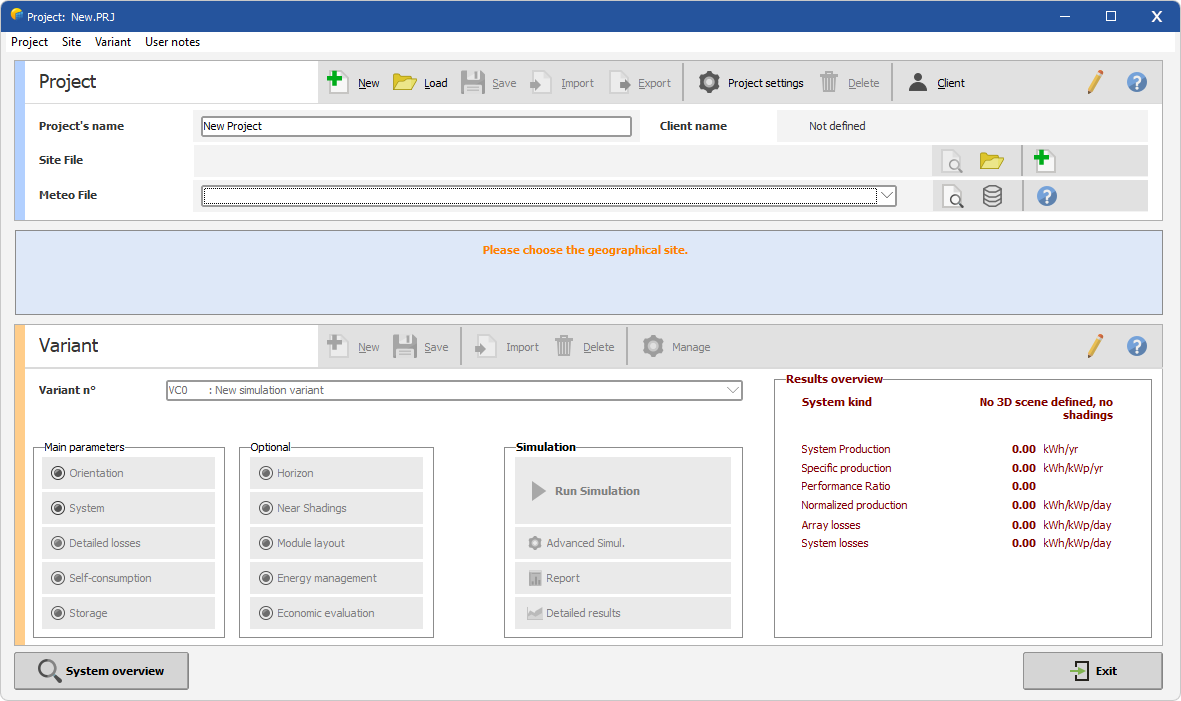
When creating a project, you must go through several steps:
Step 1: Define the file name and project name. This identifies the project in your data library file list. Click the icon with a green plus to proceed.
Step 2: Define the project site (follow the link).
Step 3: Select a meteorological file in PVsyst format *.MET (follow the link).
Step 4: Define the project settings (follow the link).
Step 5: Next, define your PV system in several "Variants" or "Calculation versions" (follow the link). All calculation variants attached to the project have the same project name with extensions .VC0, .VC1, etc.
Project parameters are stored in a file with the .PRJ extension. Note that further modifications to the file name, project name, project site, or project settings will generate a "please save your project" message. This does not occur when you change the weather data file: you can then compare simulation results—for instance from different years of weather data—without prompting from the software.