Simulation with sub-hourly time steps
Before PVsyst version 8.1, simulations were limited to hourly time steps. However, in reality, sub-hourly fluctuations in weather conditions, combined with any non-linear models in the simulation process, may lead to different results. The largest differences stem from the modeling of clipping: sub-hourly irradiance fluctuations may shift the maximum power point of a DC array temporarily below or above the inverter clipping threshold. This sub-hourly behavior leads to additional clipping losses, which are not captured when considering only hourly values.
The sub-hourly resolution allows a more explicit modeling of fast weather variations, as well as transient effects, for example the PV modules thermal inertia.
Also the transposition model, and the Global Horizontal irradiance to Global Diffuse irradiance model have been improved to allow their application at the sub-hourly scale.
In PVsyst 8.1, simulations can be performed using either sub-hourly or hourly time steps. A radio button, present both in the main project window as well as in the "Advanced simulation" window, allows you to easily switch from one granularity to the other. Results can also be exported at the corresponding resolution, depending on the level of detail required.
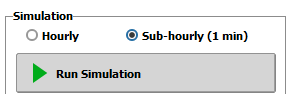
Hourly simulations retain the advantage of being much faster, since fewer steps need to be simulated. It is therefore recommended to run hourly simulations during iterative design phases. Sub-hourly simulations, which take longer to run, can be left for more final evaluations.
The sub-hourly clipping correction model, available since PVsyst version 8.0, allows the evaluation of clipping losses based on sub-hourly irradiance data, enabling a more accurate estimation of clipping losses even when using hourly time steps.
Sub-hourly weather data
The granularity at which it is possible to simulate a project is directly that of the weather data file (.MET). To support this feature, it is therefore also possible in PVsyst 8.1 to import sub-hourly weather time series to generate sub-hourly weather data files.
Sub-hourly files can be created by using Meteonorm version 9. This update introduces the possibility to generate weather data at minute resolution, in addition to the standard hourly data.
Sub-hourly files can also be imported using the custom weather import, or generated from the synthetic data generation (using the Meteonorm 9 algorithm) that now allows to generate minute data from monthly values.