Weather Data
The weather data is the starting point of the evaluation of a project. It is also the main source of uncertainty.
This help section will guide you in different options, for discovering the management and organization of weather data in PVsyst. From the PVsyst start page, click the ++Databases++ button to access the weather database. The available functions are:
- Geographical site: browse your existing
.SITfiles or create new ones - Weather data table and graphs: browse weather files (
.METfiles) - Compare weather data: compare irradiance between diffferent weather files
- Import a know format: Convert a formatted
.csvto a .MET file from supported weather data providers - Import a custom file: Convert a CSV file into a .MET file. The import requires a formatting file (
.MEF), which can be created using the weather data import assistant - Synthetic data generation: Generate hourly or sub-hourly data from monthly data
- TMY generation: combine 10 or more
.METfiles from different years into one TMY.
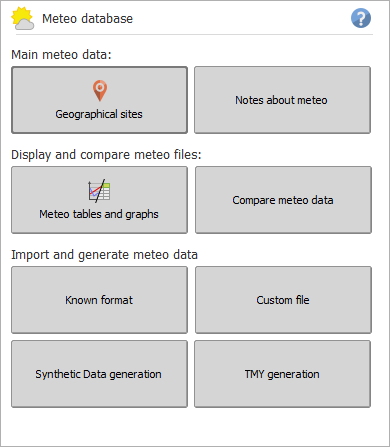
Weather files overview
Geographical sites (.SIT)
.SIT files are associated with every geographic site used for simulation. They contain monthly weather data and can be used as a base for Synthetic data generation. They can be defined from the Geographical sites window and are stored in the PVsyst Data \Sites\ directory.
Weather files (.MET)
.MET files contain the hourly or sub-hourly weather data used to run simulations. These files are stored in the PVsyst Data \Meteo\ directory.
The content of a .MET file can be browsed using the weather data tables and graphs window. Tine label correspond to the start of the measurement interval (12h00 is data recorded from 12h00 until 13h00). Weather files can be up to one year long or less.
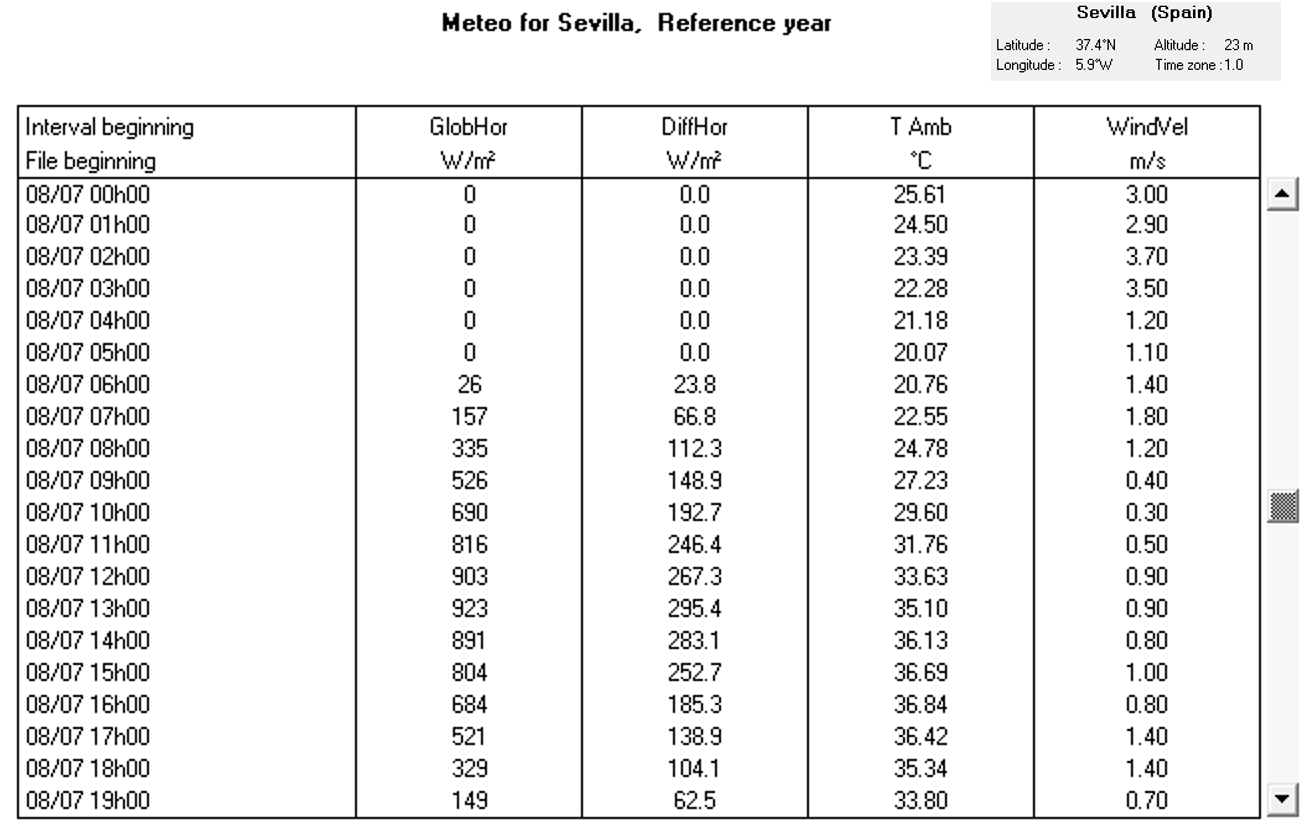
There are 4 main types of .MET files
- Typical Meteorological Year (TMY): imported directly from a provider or generated in PVsyst
- Synthetic: generated from monthly data
- Time series (year is then specified): imported directly from a provider
- Imported: files generated from custom import
Weather data files can be obtained through several processes:
- Synthetic data generation from monthly data
- Know format import: file was imported from a supported provider
- Custom import: meant to import any data, such as user's own measurements or providers not covered yet by the know format option
Finally, the list of variables that can be present in a .MET file is given in the table below.
The Global Horizontal Irradiation (GlobHor or GHI), Diffuse Horizontal Irradiation (DiffHor) and Ambient temperatures are required, the rest is optional.
| Name | Available units | Description |
|---|---|---|
| GlobHor | W/m², MJ/m²/h | Global Horizontal Irradiance - must be present |
| DiffHor | W/m², MJ/m²/h | Diffuse Horizontal Irradiance - must be present |
| T_Amb | °C | Ambient Temperature - must be present |
| GIPMeas | W/m², MJ/m²/h | Measured Global Irradiation on Plane, also known as plane of array (POA) irradiance. (present if source measurement was a POA measurement) |
| BeamNor | W/m², MJ/m²/h | Beam Normal Irradiance |
| BeamHor | W/m², MJ/m²/h | Horizontal Beam Irradiation |
| WindVel | m/s, km/h | Wind Velocity |
| TArrMes | °C | Measured Module Temperature |
| PrecWat | mm, cm, in | Precipitable Water Column |
| RelHum | ratio, %, ‰ | Relative Humidity (0–1) |
| Linke | ratio, %, ‰ | Linke Turbidity Coefficient |
| AoD | ratio, %, ‰ | Aerosol Optical Depth |
| Albedo | ratio, %, ‰ | Ground Albedo |
| T_DewPt | °C | Dew Point Temperature |
Weather format files (.MEF)
When importing a custom weather file, a formatting file called .MEF is required. This file defines the mapping of your custom data to be imported. These files are stored in the PVsyst Data \Meteo\ directory.
Updates
8.1.5 Meteonorm timesteps
- Meteonorm synthetic generation has now 4 timestep options:
1 minute5 minutes(resampling from 1 minute synthetic weather)15 minutes(resampling from 1 minute synthetic weather)1 hour
8.1.0 Sub-hourly weather files
Sub-hourly simulation was introduced in PVsyst 8.1.0 and at this time, sub-hourly weather files can only be generated using:
- Custom import (from sub-hourly data)
- Site creation, importing Meteonorm data and choosing the
minuteoption - Synthetic data generation, choosing the
minuteoption