Importing data from NASA-POWER
To import monthly data from NASA-POWER into PVsyst, first create a new geographical site by selecting the location on the map or defining its coordinates. Then click “Import from NASA-POWER” to automatically retrieve the data from the NASA-POWER API for the selected location.
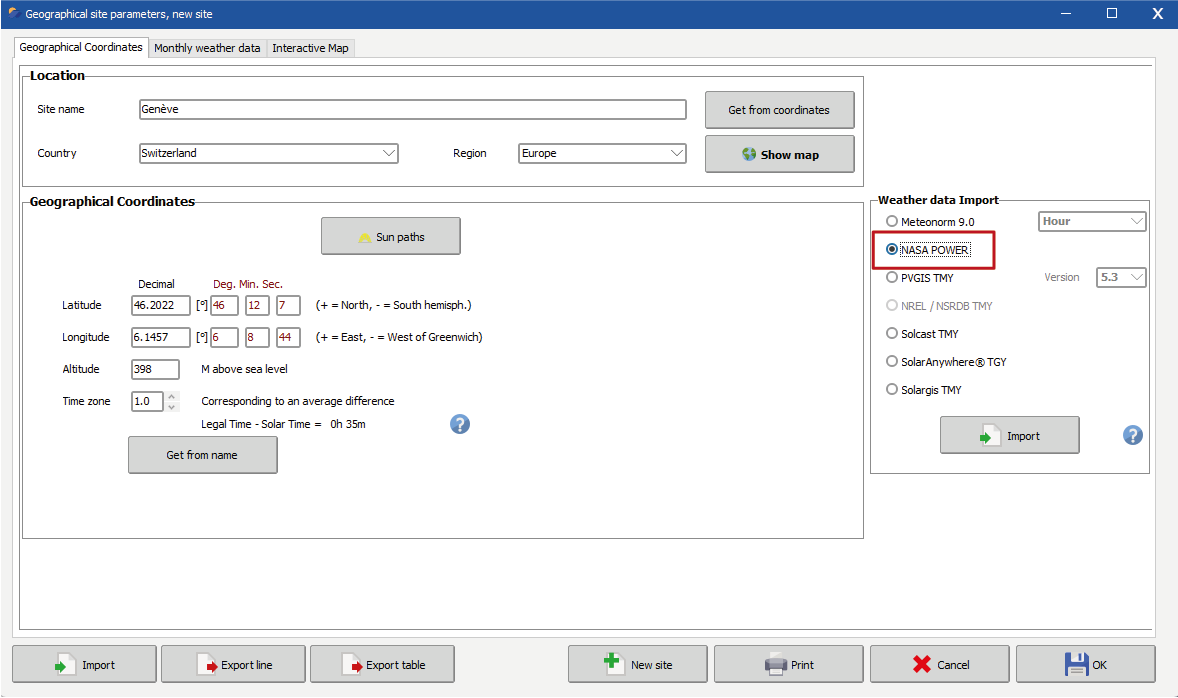
NB: The imported data correspond to monthly averages. Synthetic hourly data will be generated from these values using the Meteonorm algorithm.
Alternatively, the data can also be obtained directly from the NASA-POWER website. The data can then be downloaded and, formatted for manual import in the Monthly weather data tab in the when creating a new geographical site.
NB: we do not recommend to use these wind data for estimating Module temperatures in the simulation.