Geographical sites
Overview
Geographical sites (or .SIT files) are associated with every geographic site used for simulation. They contain monthly weather data are stored in the PVsyst Data \Sites\ directory.
The Geographical sites section of PVsyst gives the possibility to:
- create a new geographical site.
- visualize or modify an existing site
Geographical sites contain coordinates and monthly weather data that can be retrieved from
- Several (API sources)[] included in PVsyst
- User direct input
Site file content
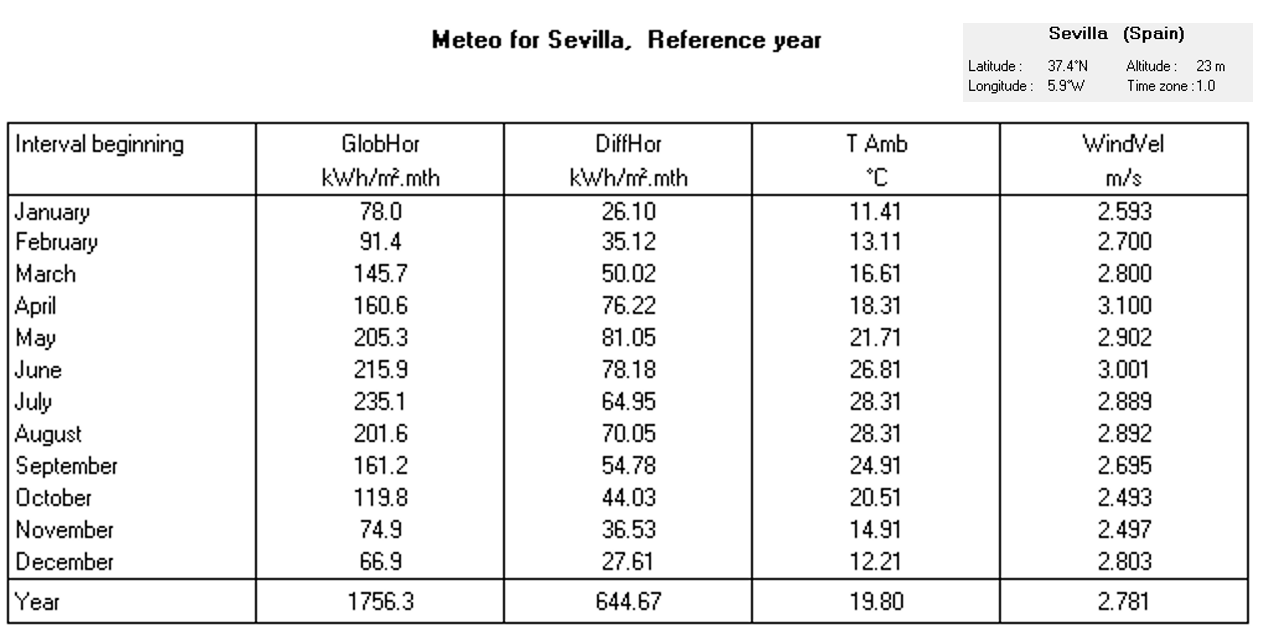
Each site file contains:
- Site name, country, world region
- Geographical coordinates: latitude, longitude, altitude and Timezone.
- Monthly Global Horizontal Irradiation (GHI or GlobHor)
- Monthly averages of the ambient temperature
- Data source
The files may also include optional data :
- Monthly Diffuse Horizontal Irradiation (DHI or DiffHor)
- Monthly average of Wind Velocity.
- Monthly average of Relative humidity.
- Monthly average of Linke turbidity.
Note
The monthly relative humidity of a site is a physically normalized value. It is not the arithmetic average of the hourly or sub-hourly values. See relative humidity in the synthetic generation.
Monthly data import
The monthly weather data can be imported from supported APIs during the site creation process or pasted directly in the monthly weather table. Data imported manually should never include horizon shading.
Default sites
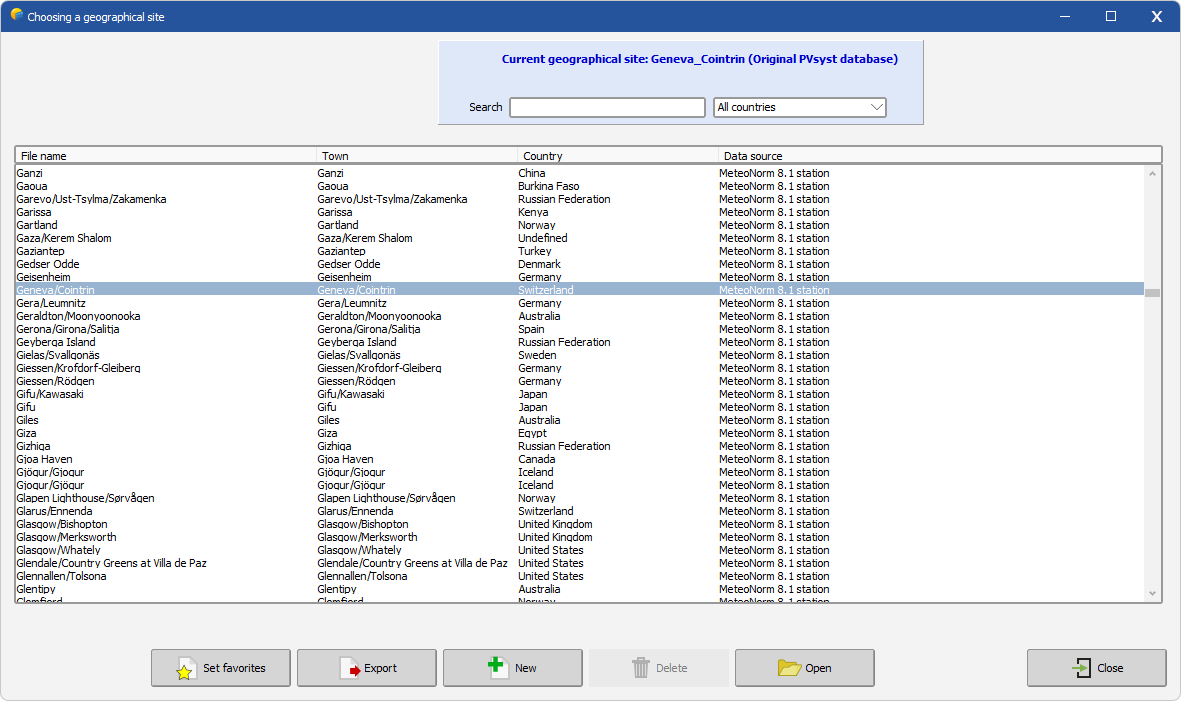
Once you have clicked on Geographical sites, you are invited either to:
- to choose a site: enter the location of interest in the search bar, then double-click on the line of interest or use the Open button to edit the site
- to create a new site by using the button New
The background color code is the following :
- white : PVsyst original Database sites, delivered with the software
- grey : user created sites, located in
PVsyst8.1_Data\Sites - green : favorites
PVsyst8.1_Data: Only user created sites may be deleted. Deleted files are moved into the \PVsyst8.1_Data\UserRecycleBin folder.