Creation of a new site
To create a new site, click on New
Coordinates
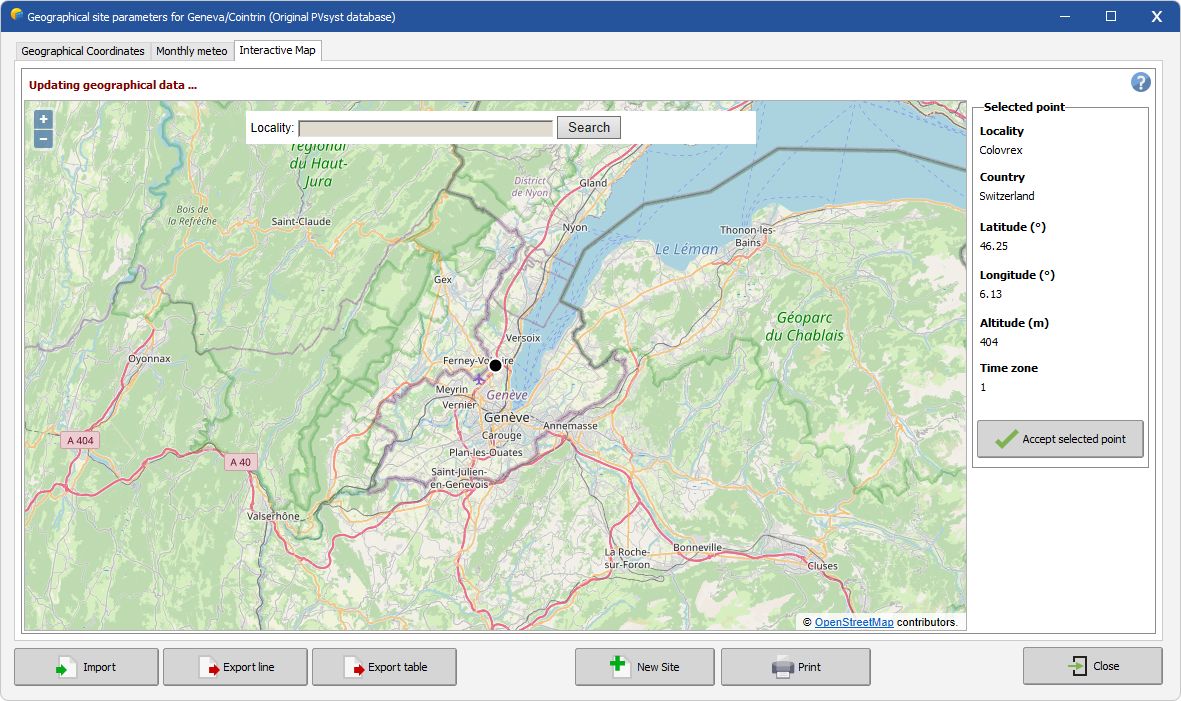
From the Interactive Map it is possible to find the geographical coordinates of any location worldwide using OpenStreetMap and Geonames web services:
- Enter the desired location in the "Locality" search zone
- Click on Search
- Check the Data within the Selected point frame on the right
- Click on Accept selected point
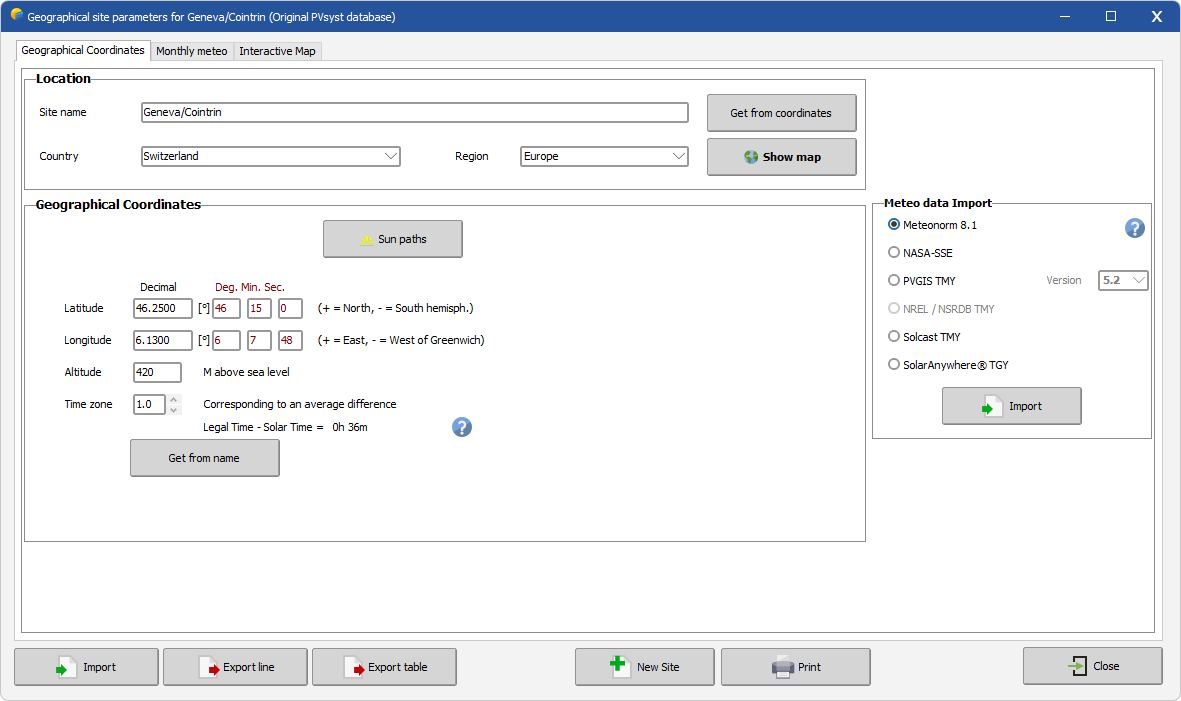
Alternatively, you can enter the site's coordinates directly in the Geographical coordinates tab. The formats recognized are:
+90.0, -127.554334
47.1231231, 9.99999999
or
45°23'36.123456"N 010°33'48"E.
Monthly weather data
Once the coordinates are defined, you should import the monthly from one of these options
- Automatically with the Import button by selecting one of the supported providers:
- Meteonorm 9.0 interpolation procedure,
- NASA-POWER
- PVGIS TMY API
- NREL/NSRDB TMY API
- Solcast TMY API
- SolarAnywhere TMY API
- SolarGis TMY API
- manually with custom monthly values (follow the link).
Hourly weather generation
When importing data directly from a provider an hourly or sub-hourly weather .MET file will be generated for your site.
- For Meteonorm import the data is synthetically generated
- For other API, a TMY is downloaded from the provider. This requires internet access