Simulation Report
Preview
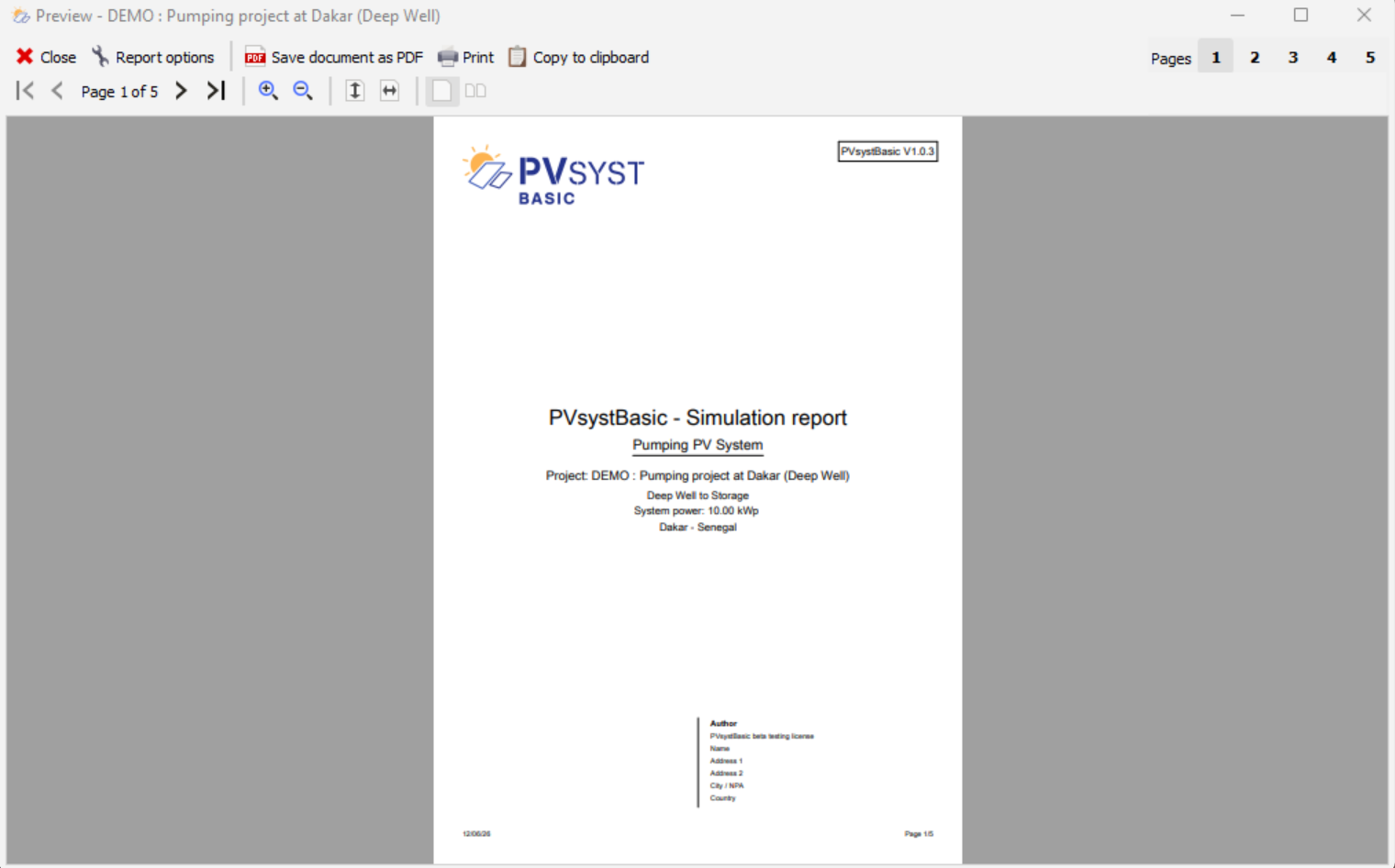
Features
| Icon | Description |
|---|---|
 | Report Options: Opens the Report Options dialog box. |
 | Save Document as PDF: Saves the document in PDF format. |
 | Print: Opens the system print dialog box to send the document to a printer. |
 | Copy to Clipboard: Copies the document to the clipboard. |
 | Page Navigation: Browse through the pages using these buttons. Click the center label to go directly to a specific page. |
| ![Magnifying Glass (In) [(../../images/general/icons/zoomin.png)] | Zoom In: Zooms in on the document. |
| ![Magnifying Glass (Out) [(../../images/general/icons/zoomout.png)] | Zoom Out: Zooms out of the document. |
 | Fit to Height: Adjusts the document in portrait mode so that a single page is fully visible. |
 | Fit to Width: Adjusts the document horizontally so that it fills the entire width of the preview window. |
 | Jump to Page: Jumps directly to the specified page. These buttons do not appear if the document has only one page or more than ten pages. |
Report Options
In this dialog box, you can customize the report.
General Options
For the document, select the following here:
- Language:
- English
- French
- Energy Units:
- Energy unit
- Automatic
- \(\mathrm{KWh}\) (kilowatt-hour)
- \(\mathrm{MWh}\) (megawatt-hour)
- the number of decimal places for percentages in the loss chart.
- Energy unit
User Information and Logo
User Information
You can edit the following information for the report:
- Name
- Report author
- Address
- City
- ZIP code
- Country
Please note
The Company field cannot be edited. It is automatically populated based on your PVsystBasic license information
Logo
You can import an image in the following formats:
- PNG
- JPG
- BMP
You can choose whether or not to display the imported logo on the report.
Default Settings
The Set as Default button replaces the user information and logo in the application’s default settings with the data entered in the “Report Options” dialog box.
The Restore Default Settings button applies the user information and logo defined in the application’s default settings to the “Report Options” settings.
Clipboard
It copies the entire document as an image to the clipboard so that it can be pasted immediately into other software (such as MS Word, MS Excel, Paint, or others).
Please note
If you need to send multiple pages, perform the "Paste" operation immediately after the message corresponding to each page before clicking the OK button.